
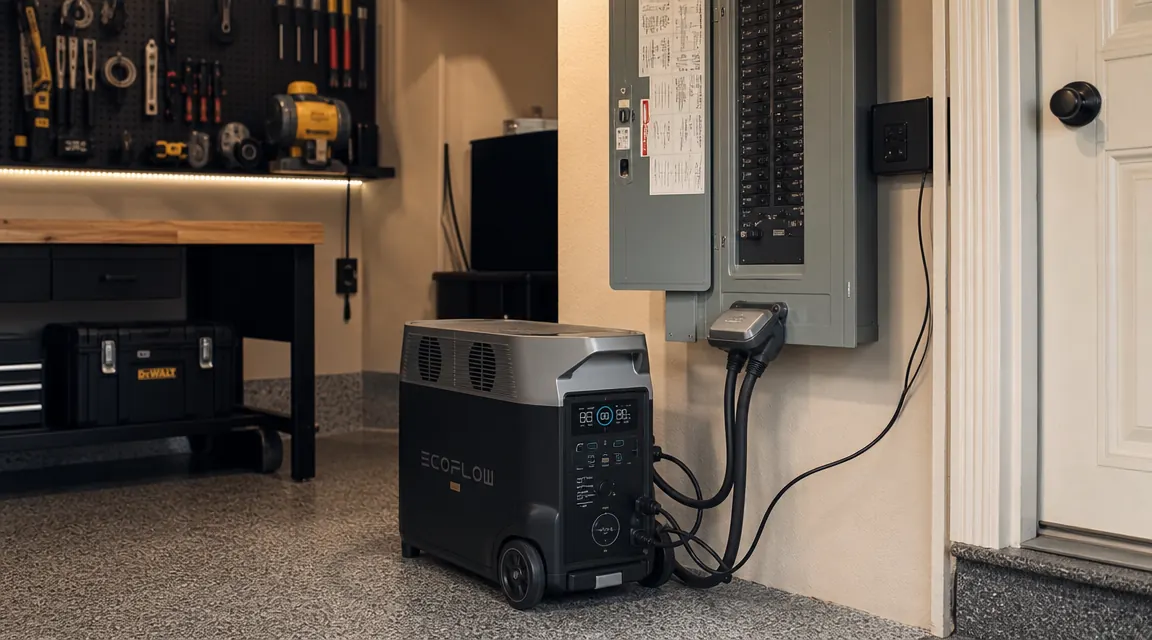
My neighborhood lost power for four days after a hurricane two summers ago. I had three flashlights, a cooler full of ice, and a gas generator that I almost carbon-monoxided myself trying to run in the attached garage. The next week I ordered the EcoFlow Delta Pro. Eighteen months later, it is wired into my home's breaker panel and switches over automatically when the grid drops. Here is exactly how I set that up, including the two ways you can do it, the math for figuring out which circuits to protect, and how to pair solar panels so a multi-day outage does not drain the battery to zero.
The EcoFlow Delta Pro holds 3600Wh at full charge. That sounds like a lot until you do the load math on a real house. A refrigerator runs about 150W continuously, a window AC unit pulls 1200W, a sump pump surges to 1800W on startup. You cannot run everything at once, and you should not try to. The whole point of this guide is to help you triage your circuits so the Delta Pro covers what actually matters and coasts through a 24- to 72-hour outage without you having to think about it.
Your grid fails without warning. The Delta Pro switches over in 30 milliseconds.
The EcoFlow Delta Pro 3600Wh is rated 4.6 stars across 516 Amazon reviews. It is the unit I used for this entire guide and the one still sitting in my garage right now.
Amazon Check Today's Price on Amazon →Step 1: Triage Your Essential Circuits Before You Touch Anything
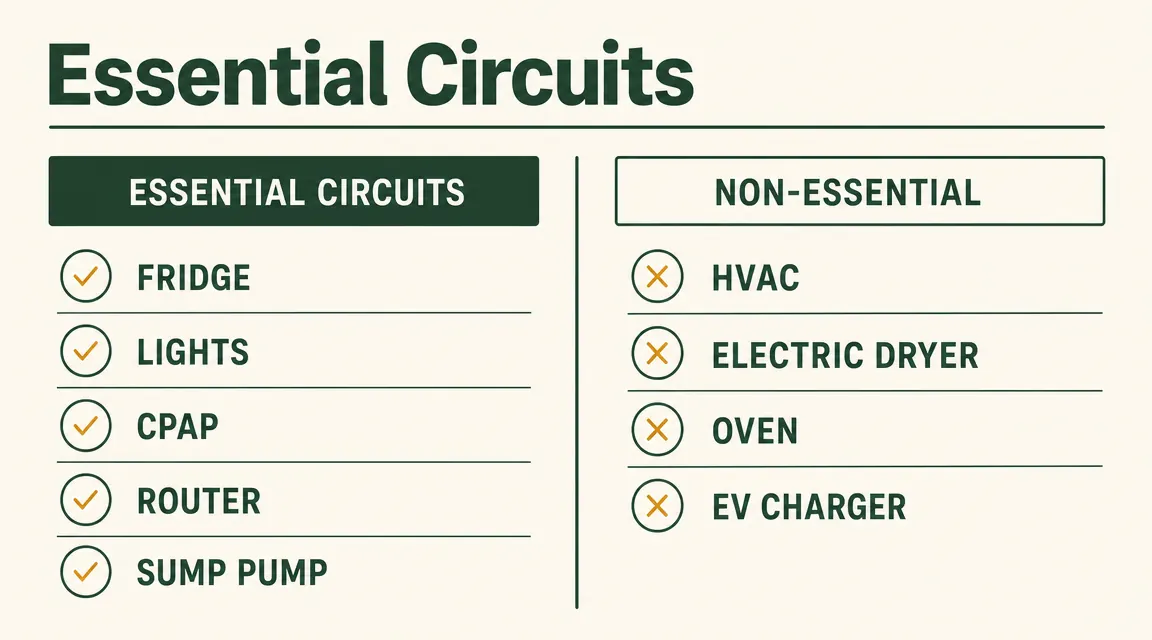
Open your breaker panel and make a list of every circuit. Then go room by room and ask one question: if I lost this circuit during a three-day summer outage, would someone in this house be in real trouble? For most households the yes list is short: refrigerator, at least one lighting circuit, router or modem, sump pump if you have a basement, medical equipment like a CPAP or home oxygen concentrator, and one or two outlets in a common area for charging phones and laptops.
The no list is longer than you think: central HVAC, electric range, clothes dryer, dishwasher, EV charger, hot tub, electric water heater. These are 240V or high-draw 120V loads. Even one of them can empty the Delta Pro in under four hours. The goal is to isolate the essential circuits on a dedicated subpanel or transfer switch so the Delta Pro only powers what you actually need.
Write down the load wattage for each essential circuit. Add them up. If your total continuous load is under 1800W, a single Delta Pro handles it comfortably. If you are over 1800W, you will want to pair an EcoFlow Extra Battery or think carefully about staggering loads during the outage.
Step 2: Choose Your Integration Route, Smart Home Panel 2 or Manual Transfer Switch
EcoFlow sells a dedicated product called the Smart Home Panel 2. It mounts in your main electrical panel area and can control up to 10 home circuits. When the grid drops, it switches those circuits to the Delta Pro automatically with a 30-millisecond transfer time. You keep the clocks running, your CPAP does not hiccup, and you do not have to touch anything. The tradeoff is cost and installation complexity. The Smart Home Panel 2 requires a licensed electrician to install because it connects directly inside your main panel. Budget roughly $400 to $600 for the panel hardware and another $200 to $400 for the electrician, depending on your location.
The manual transfer switch route is simpler and cheaper but requires your attention when the power goes out. A basic interlock kit or a small 6- to 10-circuit manual transfer switch runs $80 to $200 installed. When the grid goes down, you flip a lever or rotate a knob, plug the Delta Pro into the transfer switch inlet, and power flows to the protected circuits. If you are comfortable with the process and do not need seamless failover for medical equipment, this is a perfectly reasonable option. I used this route for the first eight months before upgrading to the Smart Home Panel 2.
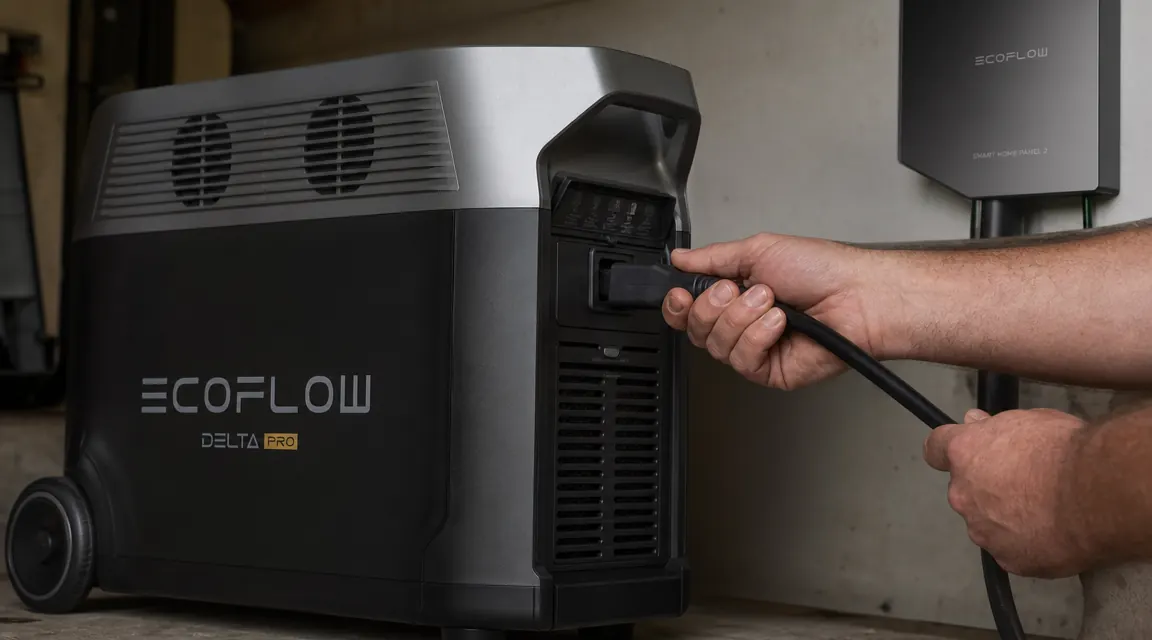
One important note regardless of which route you pick: neither setup should ever be DIY-wired into your main panel without an electrician unless you are a licensed one yourself. The Delta Pro connects to the load side of your transfer switch via its X-Stream or standard AC output. The electrician handles everything on the line side. This is not a gray area.
Step 3: Install the Transfer Switch or Smart Home Panel 2
For the Smart Home Panel 2 route: download the EcoFlow app before your electrician arrives. Walk through the virtual circuit map with them so they know which breakers you want controlled. The panel pairs to the app over Wi-Fi and lets you see real-time load on each circuit, set priority order for shedding loads if the battery hits a low threshold, and schedule the Delta Pro to pre-charge before anticipated storms using weather-linked automation. After the electrician ties everything in, the app walks you through a pairing sequence that takes about ten minutes.
For the manual transfer switch route: your electrician installs the transfer switch adjacent to your main panel and runs conductors to the protected circuit breakers you selected in Step 1. They also install a twist-lock or L14-30 inlet box on an exterior wall, typically in the garage. This is what the Delta Pro's generator input cable plugs into. After installation, do a full test: kill your main breaker, flip the transfer switch to generator, connect the Delta Pro via the inlet, and confirm power to all protected circuits. Then flip back and restore grid power. Walk through this sequence at least once before you actually need it.
Step 4: Pair an EcoFlow Extra Battery to Extend Runtime
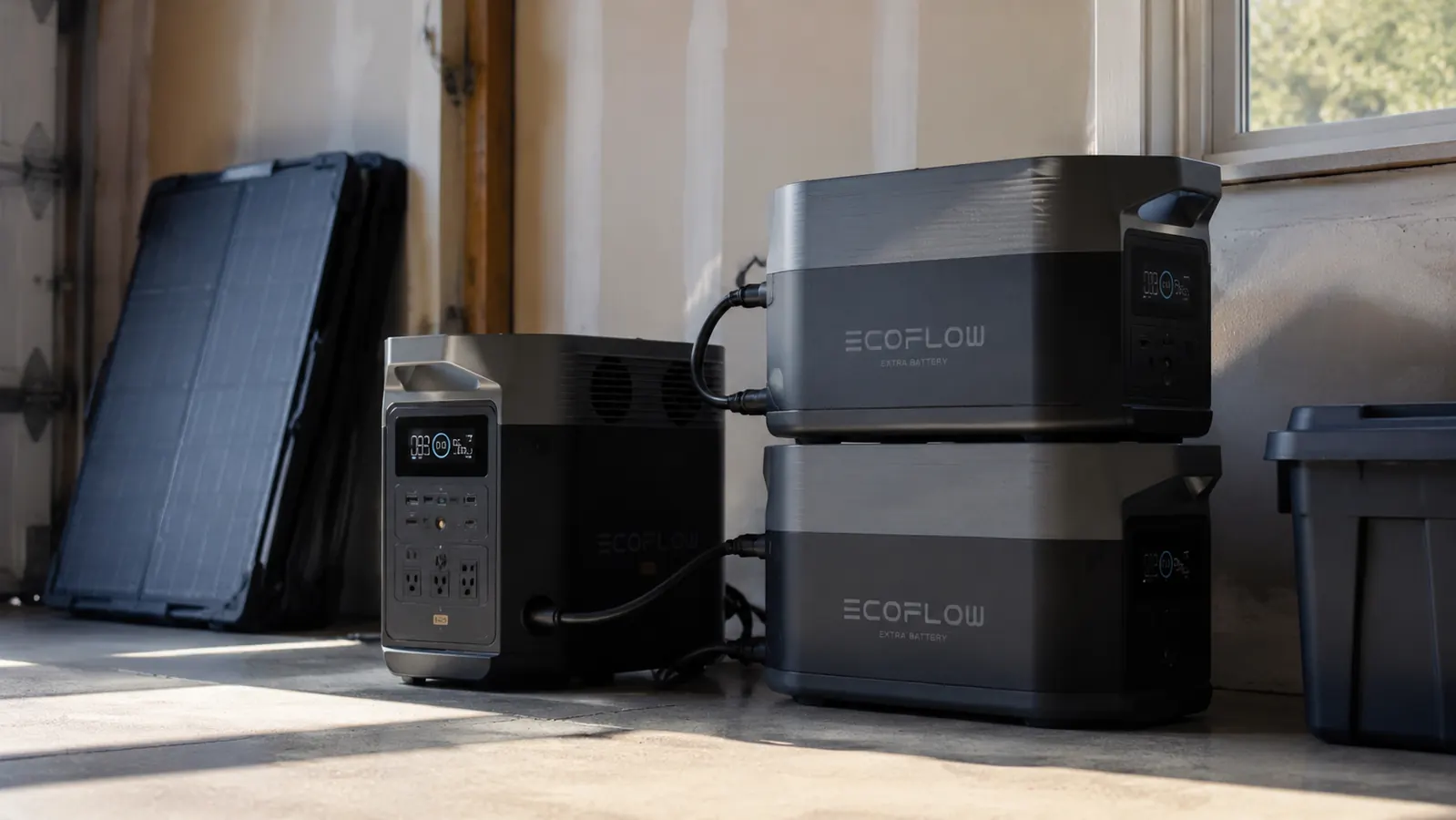
A single Delta Pro at 3600Wh running a 500W essential load (fridge, lights, router, one window fan) will last roughly seven hours at that rate, accounting for inverter losses. That gets you through a typical overnight outage but not a 48-hour hurricane scenario. The fix is the EcoFlow Extra Battery, which adds another 3600Wh. The connection is a single DC cable between the two units, no tools required beyond hand-tightening the connector collar. The Delta Pro's display and app instantly recognize the extra capacity and show total Wh available.
You can stack two Extra Batteries for a total of 10800Wh. At a 500W continuous draw, that is about 18 hours of real runtime. At 800W (fridge, lights, router, sump pump, a small window AC running part-time), you are looking at 11 to 12 hours. Most multi-day outages in the US last 8 to 24 hours. Two Extra Batteries covers 95 percent of grid outage scenarios without solar, which means solar becomes a bonus rather than a requirement.
At a 500W continuous draw, a Delta Pro with one Extra Battery gives you roughly 14 hours of real runtime. That covers most hurricane-season outages without ever touching a solar panel.
If you cannot justify the cost of an Extra Battery upfront, the single Delta Pro is still worth setting up. Run the essential-circuit triage from Step 1 conservatively. Shut off the window AC, use battery-powered fans instead, and your single 3600Wh unit will carry a careful household for 12 to 15 hours on real loads.
Step 5: Set Up Solar Input to Top Off During Extended Outages
The Delta Pro accepts up to 1600W of solar input through its MC4 ports using an optional adapter, or up to 800W through its XT60 input. In practice, most people using 200W portable panels like the Renogy 200W hook up two to four panels in series or parallel to the XT60 or MC4 input and aim for 400W to 600W of real output on a sunny day. The Delta Pro's built-in MPPT controller handles the rest.
Here is the math for a realistic cloudy week: assume your essential load averages 400W and you have 400W of solar on the roof or driveway. On a full-sun day in summer you get roughly four to five effective sun hours, so 400W times 4.5 hours equals 1800Wh of input. Your 400W load consumes 400W times 24 hours equals 9600Wh per day. Solar is providing about 1800Wh and you are consuming 9600Wh, so you still net-lose about 7800Wh per day. With an Extra Battery you start at 7200Wh total and are losing ground daily. Solar alone will not sustain you indefinitely through a long outage unless you add more panels or cut loads aggressively.
Where solar shines is in outages of two to four days with partial sun. Run 200W to 400W of panels and your daily top-off slows the drain enough to extend a two-Extra-Battery stack from roughly two and a half days to three and a half or four days. That is a meaningful difference in a real emergency. Set panel angle for your latitude and time of year using the EcoFlow app's solar input readout, which shows live wattage coming in. Adjust panel tilt until you see the number climb.
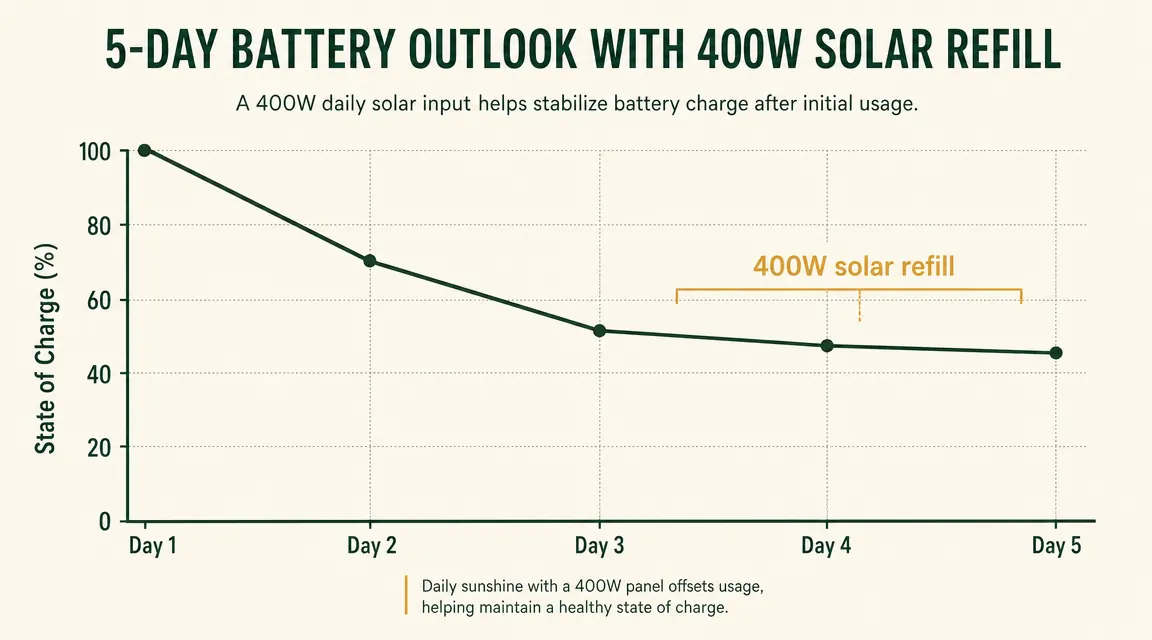
One practical note on solar input during an outage: the Delta Pro will charge from solar even while powering loads through the inverter. You do not need to stop using the unit to recharge. This is called pass-through charging and it works seamlessly. The app shows simultaneous input and output so you can see exactly what your net draw is at any moment.
What Else Helps
A few things I learned after my first hurricane outage that made the second one much easier. First, set a charge schedule in the EcoFlow app to keep the Delta Pro at 80 percent year-round rather than 100 percent. LiFePO4 chemistry is tolerant of high charge states, but staying at 80 percent daily extends cycle life without meaningfully reducing your emergency buffer. When a storm is actually forecast, override the schedule and top to 100 percent the night before.
Second, test the full failover sequence twice a year, once before hurricane season and once before the winter ice-storm window. Pull your main breaker, confirm transfer to the Delta Pro, run essential loads for 30 minutes, then restore grid power. Thirty minutes of testing beats discovering a loose cable connector during an actual four-day outage.
Third, keep the Delta Pro in a temperature-controlled space if possible. LiFePO4 discharge capacity drops noticeably below 32 degrees Fahrenheit and the unit will throttle output to protect the cells. A heated garage or indoor closet is fine. An unheated shed in January in a northern state is not ideal for emergency readiness.
The setup described in this guide is the one sitting in my garage right now.
The EcoFlow Delta Pro 3600Wh is rated 4.6 stars from 516 verified Amazon buyers. If you go the Smart Home Panel 2 route, EcoFlow sells the panel as a separate add-on that connects directly to this unit.
Amazon Check Today's Price on Amazon →