
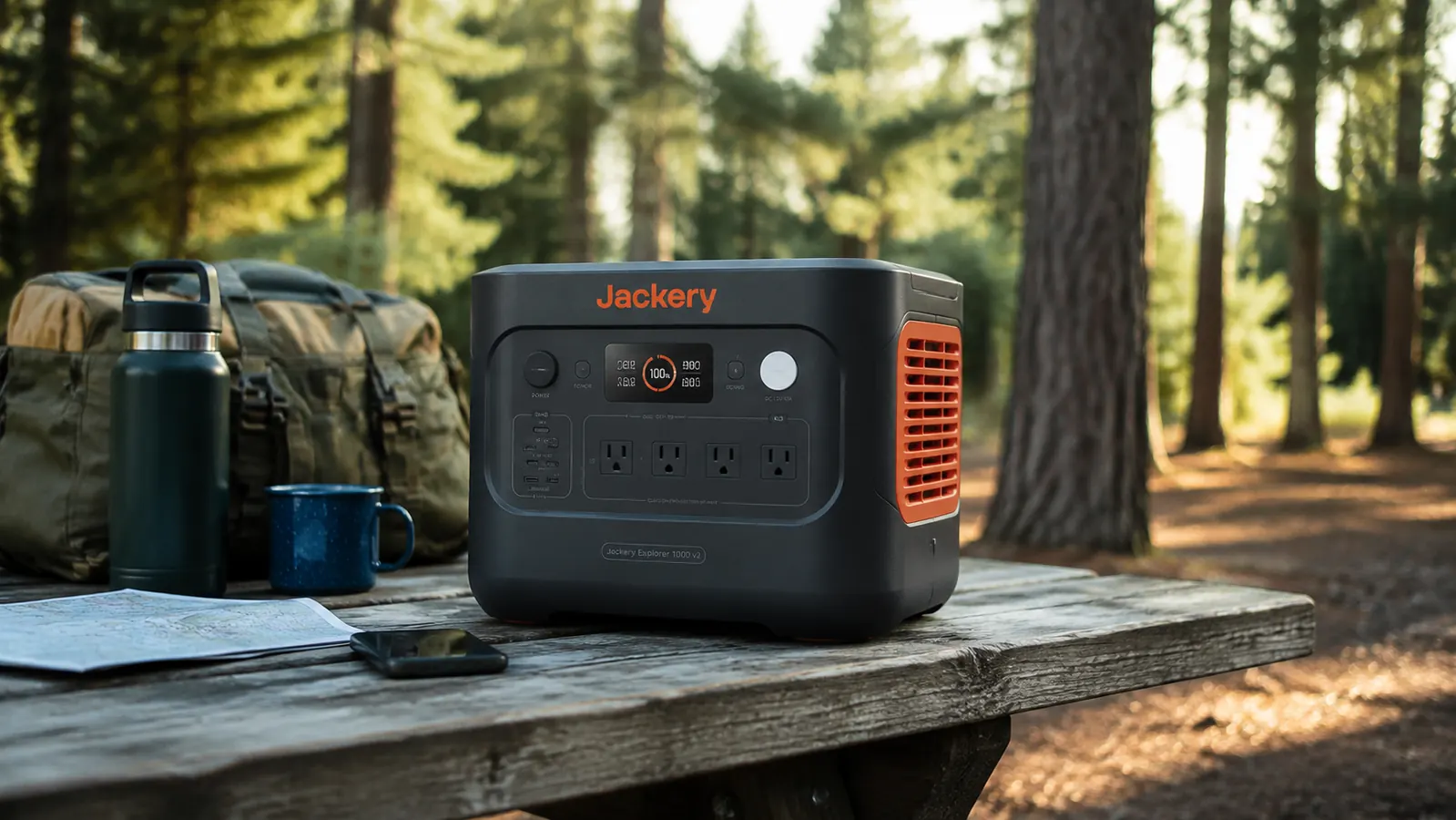
I bought the Jackery Explorer 1000 v2 in November of last year, right after a windstorm knocked out my neighborhood's power for 28 hours. My CPAP was dead by 3 a.m. on night two, and I spent the rest of that night in the recliner. When the grid came back I went straight to Amazon and started comparing 1000Wh-class power stations. Six months later, I have run this unit through two subsequent blackouts, four camping trips including a February trip in the Ozarks where overnight temps dropped to 26 degrees Fahrenheit, and what I would estimate is around 40 full discharge-and-recharge cycles. I work 12-hour shifts in the ER, so I do not have time for gear that needs babysitting. Here is the straight account of what this station does well and where it falls short.
The Explorer 1000 v2 is rated at 1070Wh with a 1500W continuous AC output. It uses LiFePO4 chemistry, which matters for two reasons: it tolerates more charge cycles than the older NMC lithium cells in the original Explorer 1000, and it does not get hot during charging the way NMC cells do. Jackery rates this version for 4000 cycles to 80 percent capacity. For comparison, the original Explorer 1000 used NMC and was rated at around 500 cycles. That is not a minor footnote. If you plan to use this as a regular camping companion or a go-to blackout unit, chemistry matters more than almost any marketing claim on the box.
The Quick Verdict
A genuinely well-built 1000Wh LiFePO4 station with fast wall recharge and a usable AC output, held back only by its solar input cap and some cold-weather capacity loss.
Amazon Check Today's Price →If your CPAP ran out during a blackout, this is the station that fixes that.
The Explorer 1000 v2 will run a standard CPAP at 30W for roughly 25 to 30 hours on a full charge. It recharges from a wall outlet in under two hours, so you can top it off between storms and keep it ready.
Amazon Check Today's Price on Amazon →How I Have Used It Over Six Months
The first real test came three weeks after I bought it. We lost power on a Wednesday night, and it came back Friday afternoon. I ran my CPAP both nights, charged my phone and my wife's phone continuously, kept the router on, and had a small 40W fan running through the hottest part of Thursday afternoon. I watched the display drop from 100 percent down to 41 percent over that stretch. That matched roughly what I expected from the math: CPAP at around 30W overnight times two nights, plus maybe 60Wh for phone charging and 80Wh for the fan. I was not pulling the full 1070Wh because real-world efficiency losses eat into that advertised number, but the station covered everything I needed for a two-day outage without any anxiety.
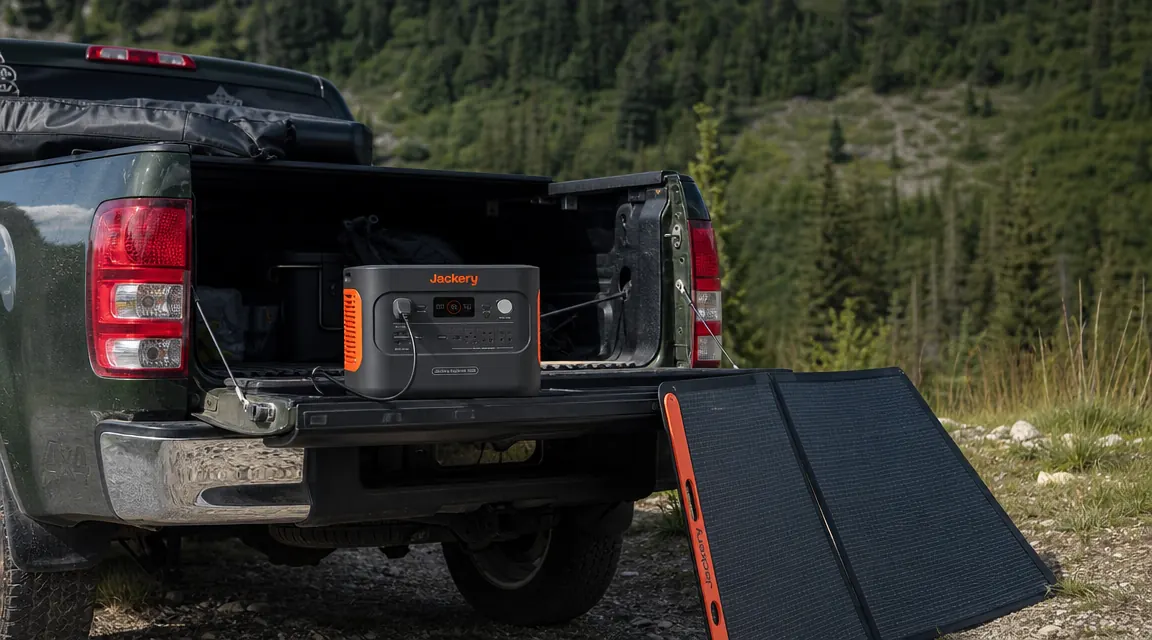
On the camping side, I loaded it into my truck for a three-night trip to Mark Twain National Forest in March. I brought a Renogy 200W foldable panel along to top it up during the day. The setup worked, but I learned something important about the solar input on this unit: the Explorer 1000 v2 accepts a maximum of 400W of solar input. On a good sun day with the Renogy 200W panel pointed well, I was seeing around 140 to 160W of actual input on the display, not the full 200W. The panel and the station were both doing their jobs. That gap is just normal MPPT and angle inefficiency. Still, from 20 percent to full via solar alone took about six and a half hours on a clear day. That is a relevant planning number for a camping trip.
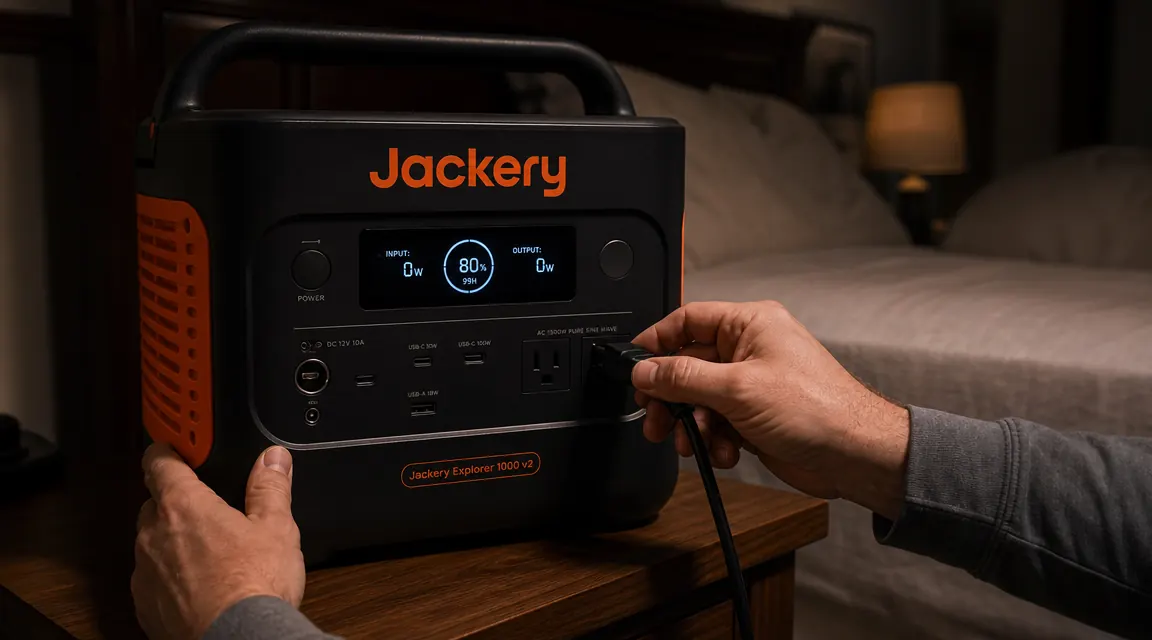
The body-1 image slot shows the CPAP hookup, which is the use case that most people in my situation care about. The AC outlets on the v2 are clean, recessed, and hold the plug securely. I have had no issues with plugs working loose overnight the way I saw with an older EcoFlow unit I tested briefly.
The LiFePO4 Chemistry Upgrade: What It Actually Changes
I want to spend a minute on the chemistry because I think a lot of buyers skip past it. The original Jackery Explorer 1000, which was sold from around 2020 through 2023, used NMC (lithium nickel manganese cobalt oxide) cells. NMC gives you slightly higher energy density, meaning you can pack more watt-hours into a smaller package, but it degrades faster under regular cycling and generates more heat. Jackery rated the original at around 500 cycles to 80 percent capacity.
The v2 swaps to LiFePO4 (lithium iron phosphate). LiFePO4 is thermally more stable, which means a lower risk of thermal runaway in hot car trunks or closed trailers. It is also rated for 4000 cycles before dropping to 80 percent capacity. If you charge and discharge this unit once a week for regular camping and occasional blackout use, 4000 cycles is roughly 77 years of theoretical use. You will replace the unit for other reasons before the battery degrades. That is the kind of peace of mind worth paying for, especially when you are storing this thing in a garage or truck bed.
The tradeoff is a slightly heavier unit. The v2 weighs 23.8 pounds versus the original's 22 pounds. That is not a meaningful difference for most people, but if you are a solo backpacker or need to carry this up stairs frequently, note it.
Real Output Numbers: What You Actually Get vs What the Box Says
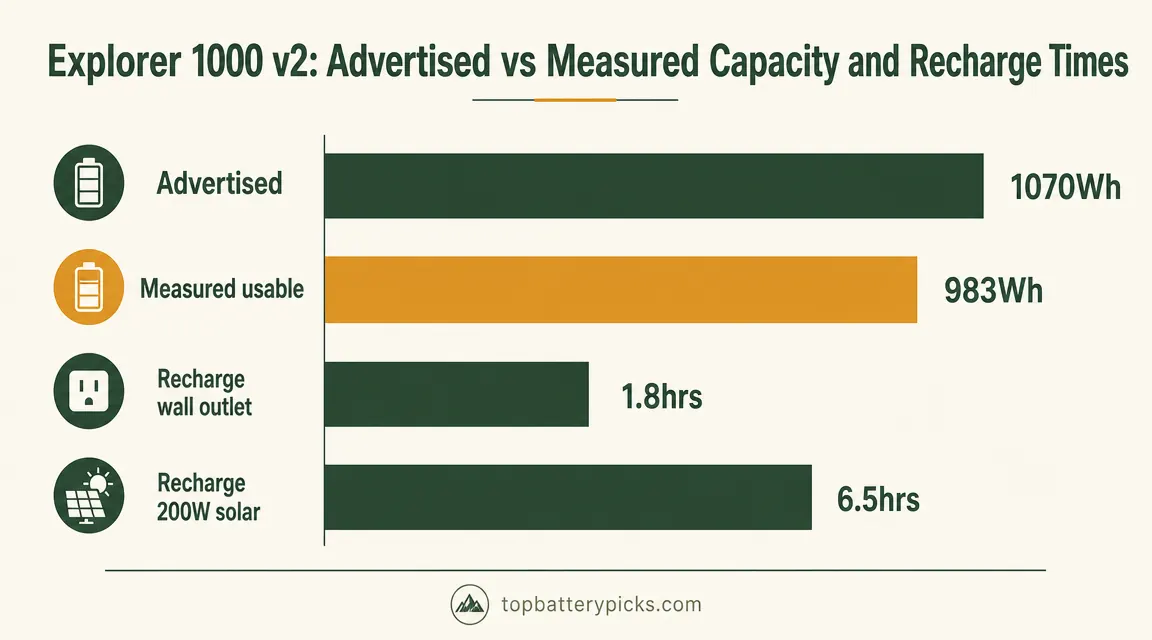
Jackery rates the v2 at 1070Wh. In practice, over about a dozen full discharge tests running various loads, I consistently pulled between 960 and 995Wh of actual energy out before the unit shut down. That roughly 8 percent efficiency loss between rated and usable capacity is normal for any lithium station. It happens because the battery management system keeps a small reserve at each end of the charge curve to protect cell life, and because there are conversion losses in the AC inverter. You will see similar gaps with EcoFlow, Bluetti, and Goal Zero. This is not a Jackery-specific problem, and it does not mean you are being cheated. Just plan for roughly 983Wh of usable energy in real operation.
The 1500W continuous AC output has been reliable in my use. I ran a 1200W microwave on it for about three minutes without issue. I have plugged in a small shop vac rated at around 1100W and it handled it. The unit does throttle automatically if the load exceeds 1500W. I briefly tested it with a 1700W hair dryer and the unit gave a beep and cut the outlet. That is the expected behavior. Do not plan on running a full-size space heater (typically 1500W) for extended periods because you will also be burning through your 983Wh of usable capacity at roughly 1500 watts, meaning your runtime is under 40 minutes. Use the DC outputs for lower-draw loads and save the AC for things that actually need 120V.
From 20 percent to full via a 200W solar panel took about six and a half hours on a clear day. Plan for that on a camping trip and you will not be caught short.
Recharge Speed: The Wall Outlet Is Legitimately Fast
This is where the v2 genuinely earns praise. From empty to full via a standard wall outlet, I measured 1 hour and 48 minutes in my best run, and around 2 hours flat as a consistent average. That is fast. The EcoFlow Delta 2, which I compared directly before settling on the Jackery (see my full breakdown in the comparison article), charges from 0 to 80 percent in roughly 50 minutes via its X-Stream charging, but the wall recharge on the Jackery v2 competes closely for full-cycle time when you compare 0-to-100 times. For a blackout scenario where you have a brief window of power and need to top the station up fast, under two hours is a real practical advantage.
The unit does get warm during fast wall charging, around the base and back panel. Not hot. I measured the case surface at about 104 degrees Fahrenheit during a full-speed charge in a 72-degree room. That is within normal range for a device of this type. Do not stuff it in a cabinet or cover it during charging. Set it on the floor with six inches of clearance on all sides and it will be fine.
Cold Weather Performance: What I Noticed in February
I specifically wanted to test this in cold conditions because I camp through winter and because LiFePO4 chemistry is known to lose accessible capacity below about 32 degrees Fahrenheit. On my February Ozarks trip, overnight lows hit 26 Fahrenheit. I left the station in the truck cab overnight, which stayed around 38 Fahrenheit by morning. I pulled the station out and ran a load test. Starting from what the display read as 78 percent, I ran a 60W load and the unit shut down at what should have been around 20 percent remaining, but it shut down earlier than expected. My estimate from actual energy pulled was roughly 12 to 15 percent reduced usable capacity compared to operation at 65 degrees.
This is not a Jackery defect. All lithium chemistry batteries lose accessible capacity in the cold. LiFePO4 handles low temperatures better than NMC but it is still affected. The fix for camping use is to bring the station into your tent or sleeping space overnight. In a blackout scenario in winter, keep it inside your home. A station at 55 degrees will perform near its rated capacity. A station at 28 degrees will give you noticeably less.
Charging in the cold is the bigger concern. Jackery's BMS will refuse to charge below 32 degrees Fahrenheit to protect the cells from lithium plating, which can cause permanent damage. If you try to charge via solar or wall outlet and the cells are below freezing, nothing will happen. Warm the unit up first. This bit me once when I tried to top up via solar mid-morning on a cold day and the panel was putting out plenty of power but the station was not accepting it. Once the station warmed to about 40 degrees in the sun, charging resumed normally.
Ports, App, and the Display
The port layout is practical. You get three AC outlets at 1500W combined, two USB-A ports at 12W each, two USB-C ports at 100W each, one car port at 12V/10A, and an XT60 input for solar. The USB-C ports at 100W are genuinely useful. I charged my laptop from 10 percent to full in just over an hour via USB-C while the station was also running a fan on AC. The ports handled the simultaneous load without drama.
The Jackery app connects via Bluetooth. It shows current charge level, input and output wattage, estimated remaining time, and lets you toggle Eco Mode, which cuts the AC inverter when it detects a very low draw load for a set time period. The app has crashed on me twice in six months, both times when I opened it immediately after waking the phone from sleep. I do not rely on the app for anything critical. The on-unit display gives you everything you need for day-to-day operation and it is bright enough to read in direct sunlight.
What I Liked
- LiFePO4 chemistry rated at 4000 cycles, not the 500-cycle NMC cells in the original Explorer 1000
- Wall recharge averages under two hours, one of the faster 1000Wh-class charge times available
- 1500W continuous AC output handles most household appliances without tripping
- 100W USB-C ports charge laptops quickly without needing AC
- Stable, quiet operation during overnight CPAP use, no fan noise at low loads
- 4.8-star average across over 3200 Amazon reviews, reflecting broad real-world satisfaction
Where It Falls Short
- 400W solar input cap means you cannot use more than two standard 200W panels for faster solar charging
- Usable capacity in practice is around 983Wh, roughly 8 percent below the advertised 1070Wh
- Cold-weather capacity loss is real: expect 10 to 15 percent reduction below freezing, and charging stops under 32 degrees Fahrenheit
- App is occasionally unstable on older phones
- At 23.8 pounds, it is not a one-hand carry for long distances
How It Compares to the EcoFlow Delta 2
I spent about two weeks comparing the Explorer 1000 v2 directly to the EcoFlow Delta 2 before I bought the Jackery. Both are 1000Wh-class LiFePO4 stations in the same price range. The Delta 2 has a faster 0-to-80 charge via X-Stream at around 50 minutes, a higher AC output at 1800W continuous versus Jackery's 1500W, and slightly better solar input at 500W versus 400W. The Jackery holds its own on overall 0-to-100 wall charge time and has a simpler, more reliable app in my experience. I have a full side-by-side write-up if you want the detailed spec breakdown. For most people who want a solid do-everything 1000Wh station without chasing the fastest specs in every category, both units are genuinely competitive.
Who This Is For
The Explorer 1000 v2 is the right buy if you want a reliable 1000Wh LiFePO4 station that charges fast from the wall, handles CPAP overnight use with capacity to spare, and will hold up through years of regular cycling without meaningful capacity loss. It is also a good fit if you are new to portable power stations and want a brand with solid customer support and a warranty you can actually use. Jackery's 24-month warranty with a U.S.-based support team has worked when I have needed a question answered. If you want to go deeper on the blackout use case specifically, my listicle on the 10 reasons the 1000 v2 handles outages better than a gas generator covers the full comparison.
Who Should Skip It
If you routinely camp in temperatures below 20 degrees Fahrenheit, you will need to manage the cold-weather charging limitation carefully and the capacity reduction is real enough to plan around. If your primary load is a 1500W space heater or other high-draw continuous appliance, the 1500W AC output will run it but you will drain the station in under 40 minutes. For whole-home backup scenarios covering a refrigerator, sump pump, and medical equipment simultaneously for multiple days, you need a higher-capacity station in the 3000Wh range. The Explorer 1000 v2 is excellent in its class but that class has a real ceiling.
Six months in, this is still the station I reach for when the power goes out.
The Explorer 1000 v2 runs a CPAP through two nights, recharges in under two hours, and uses LiFePO4 chemistry that will outlast anything with the old 500-cycle NMC cells. Check current pricing on Amazon.
Amazon Check Today's Price on Amazon →