
Most power bank reviews follow a predictable script: unbox it, charge a phone twice, say the ports are fast, give it four stars. What they skip is everything that actually matters after month three. The Anker Laptop Power Bank 25,000mAh (ASIN B0DCBB2YTR) is a legitimately good piece of kit. But I have been carrying it long enough to hit every friction point the product page glosses over, and I think you deserve to know about those before you hand over your money.
I am an ER nurse. I work 12-hour shifts and I depend on my devices continuously. I have also put this bank through camping trips, a couple of flights, and one particularly cold January morning in my truck where I learned something interesting about how lithium cells behave when they are cold and what the charge indicator does or does not tell you about actual available capacity. This is not a repeat of the standard spec rundown. This is the stuff other sites skip.
The Quick Verdict
A surprisingly capable laptop-class power bank that earns its weight. After 11 months of daily ER carry, I trust it for one-day trips and short hospital shifts, but the 1.3 lb mass and the slow last-20% recharge keep it from being a pocket carry. If you need real laptop wattage on the move, it is worth the trade. If you need pocketable, look smaller.
Amazon Check Today's Price →You carry a laptop through a long shift or travel day. This is probably the bank for you, but read the honest take first.
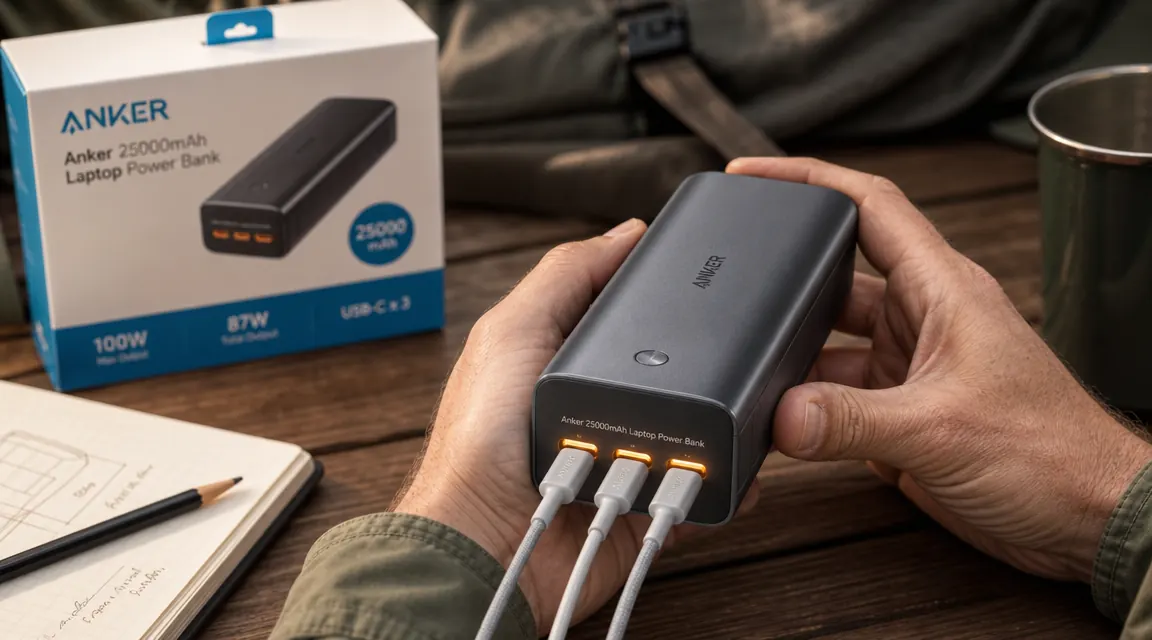
The Anker 25,000mAh Laptop Power Bank has three 100W USB-C ports, a built-in retractable cable, and a 92.5Wh rating that clears the standard TSA carry-on limit. Check today's price on Amazon before deciding.
Amazon Check Today's Price on Amazon →The Weight Is Not a Footnote
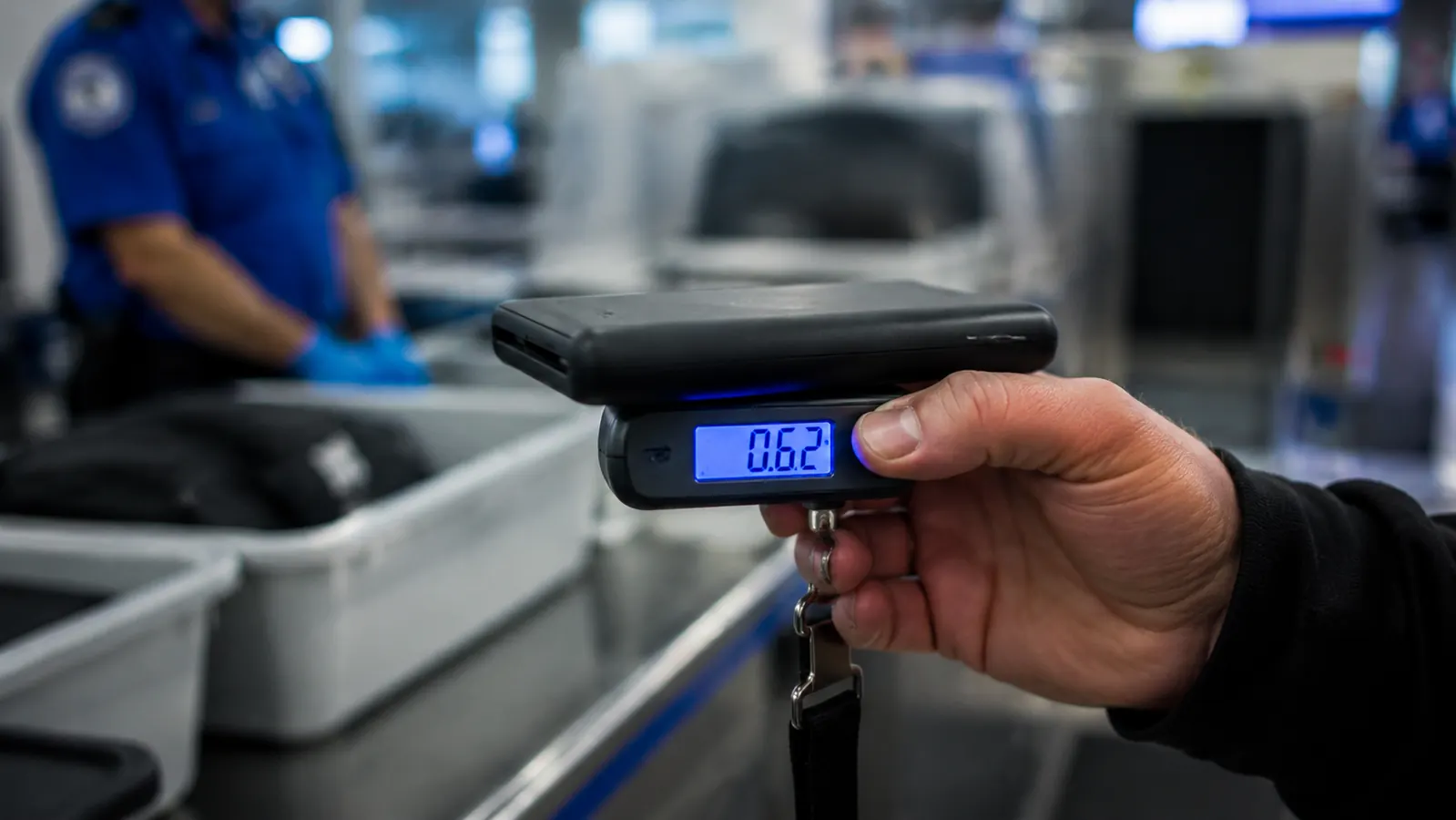
This bank weighs 595 grams. That is 1.31 pounds on a postal scale. I know because I weighed it when I started wondering why my shoulder bag felt noticeably heavier than it used to. In isolation, 1.3 pounds sounds manageable. Add it to a 13-inch laptop, a stethoscope, a trauma shear pouch, a lunch bag, and a change of scrubs, and it is not nothing. By hour ten of a shift you feel every extra ounce you packed that morning.
I want to be specific about why this matters beyond gym-bag math. If you are primarily charging a phone and earbuds, a 10,000mAh bank covers two full phone charges and weighs around 200 grams. The Anker gives you three times the capacity but at 2.5 times the weight. That trade is worth it if you charge a laptop regularly. It is not worth it if your MacBook stays at home and you just need your iPhone alive through a long day. Be honest with yourself about your actual use case before deciding the 25,000mAh capacity is something you need.
One note for those who thought about dropping this in a pants pocket: do not. It is 6.1 inches long and roughly an inch thick. It will fit in a cargo pocket in a technical sense, but it is awkward and it pulls the pocket noticeably. This is a bag item, not a pocket item. I bring this up because I have seen reviews that call it portable and leave it there without clarifying that portable means in a bag, not on your person.
Heat Under Sustained Three-Port Draw
The bank gets warm. Not alarming warm, but warm enough to notice if you are sitting with it on your leg while charging three devices. Anker is transparent about total output: 100W per port is the max, and the bank manages total output intelligently across all three ports. What the marketing page does not mention is the surface temperature under a sustained full load.
I ran an informal test during a camping trip: all three ports loaded simultaneously (MacBook Air M2 at about 48W draw, iPhone 15 Pro topping off at around 27W, and an iPad Mini at roughly 20W). I ran this configuration for about 75 minutes. The back of the bank reached a temperature I would estimate between 105 and 110 degrees Fahrenheit based on touch, not a thermometer. That is within safe operating range for lithium cells, which is typically rated up to around 140 degrees Fahrenheit, but it is warm enough that I would not set it on a flammable surface or stuff it inside a sealed neoprene pouch during a full draw session.
Under a single-device load charging a laptop, the bank barely warms at all. The heat situation is specifically a three-port, high-draw scenario. If that is how you plan to use it regularly, keep it in a ventilated spot on your desk or table rather than buried in a bag. Two-port simultaneous charging produces noticeably less heat and is how I run it most of the time.
USB-C Port Wear: What to Watch For
USB-C ports are not indestructible. The connector standard requires reasonable insertion force, and if you are plugging and unplugging under fatigue, in dim light, or at odd angles, wear accumulates. I am careful with my ports and I still show light surface scoring on port one after several months of daily use. The contact area inside the port looks clean under a flashlight and the port still grips cables firmly, but cosmetic wear is visible.
The thing that most reviewers skip entirely: USB-C port failure in power banks almost never happens suddenly. It degrades gradually. You get intermittent connections first, usually at certain cable orientations. Then the reliable charging zone narrows. Then it stops. The fix is not available to consumers since the port is soldered to the internal PCB. Once a port on a power bank starts failing, the bank is functionally on borrowed time. I am not saying the Anker ports are poor quality, they are above average in my experience. I am saying that plugging in four to six times a day over 18 months is real mechanical stress and it is worth rotating through all three ports instead of always defaulting to port one.
Practical habit: I consciously vary which port I use for each device so wear distributes evenly across all three. This is basic but I have never seen another review mention it. The built-in retractable cable bypasses the port wear problem entirely for quick phone top-offs, which is one practical reason to use it beyond the convenience factor.
Rotate your ports. Plugging into the same port four to six times a day accelerates wear at that connection point. Three equal ports means three times the lifespan if you use them evenly.
The 80 to 100 Percent Recharge Stall
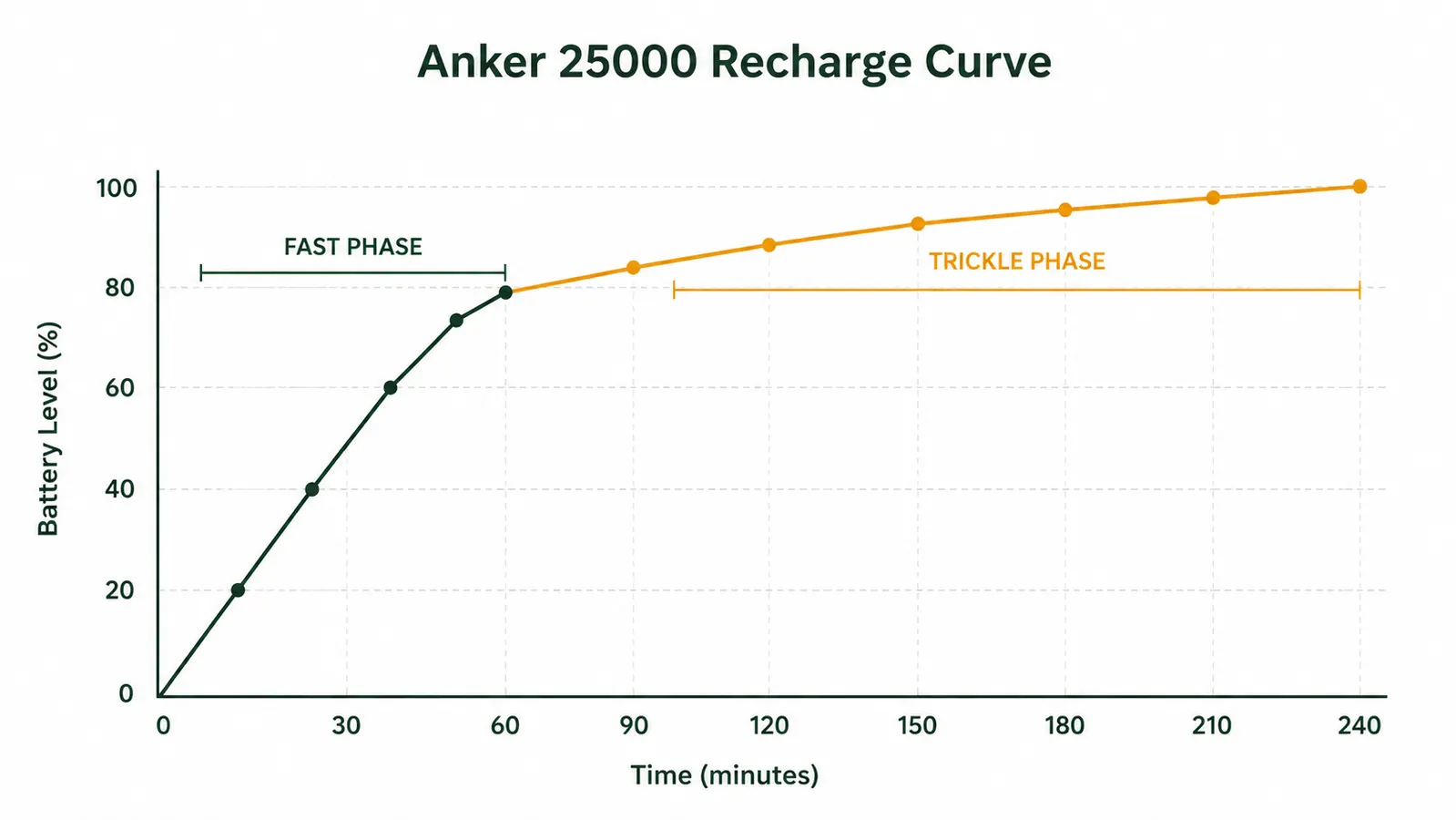
Every lithium bank charges in two phases. From empty to roughly 80 percent, the bank accepts a high constant-current charge and fills relatively fast. From 80 percent to full, the charger transitions to a constant-voltage trickle to protect the cells from stress. This is not an Anker-specific quirk. It is how lithium chemistry works. But the Anker 25000 makes this especially visible because the gap between the two phases is pronounced.
Here is what I measured with a 65W USB-C PD charger: zero to 80 percent took approximately 115 minutes. Eighty percent to full took an additional 75 minutes. So roughly 60 percent of the total recharge time is spent filling the last 20 percent of capacity. If you have a two-hour window to charge before leaving for a trip, you will reach about 80 percent capacity during that window, not full. Planning your recharge windows around this curve is more useful than planning around the spec-sheet time-to-full number.
The practical upshot: 80 percent on this bank is about 74Wh of usable output. That is still one full MacBook Air M2 charge with room left over. If you consistently unplug at 80 percent rather than waiting for 100 percent, you also reduce cumulative cell stress over the life of the bank, which is a real longevity benefit. The bank is fine to charge to 100 percent, but if you are trying to optimize charge-window efficiency, treat 80 percent as the practical full.
Cold Weather and the False Charge Readout
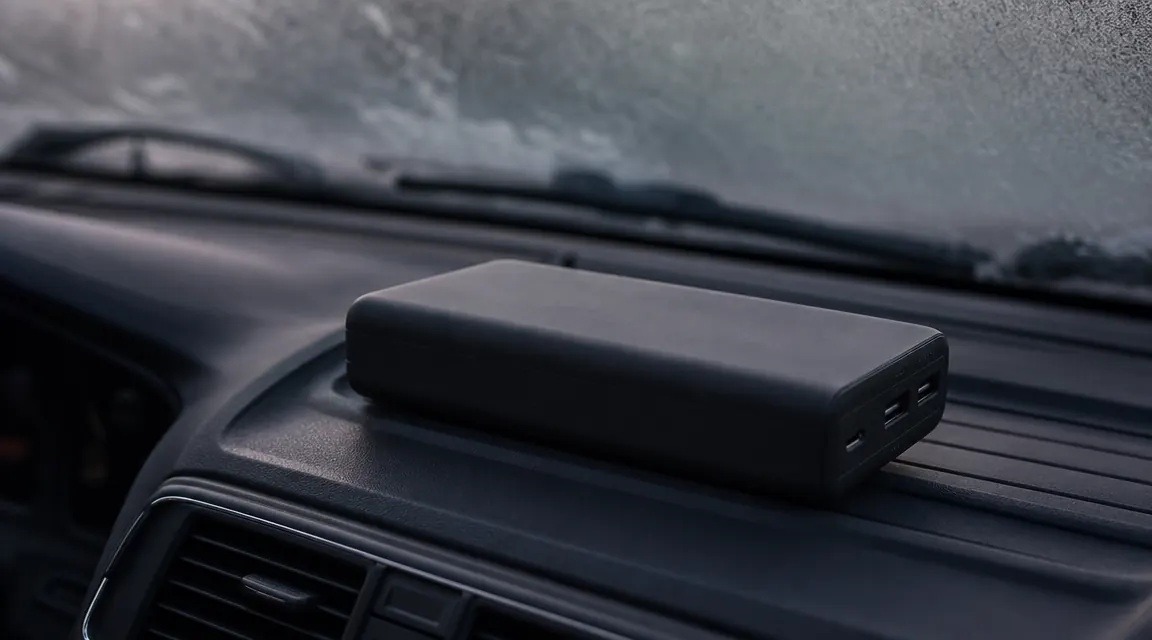
This one surprised me. I left the bank in my truck overnight in January. Outside temperature dropped to around 28 degrees Fahrenheit. The next morning I picked it up, pressed the power button, and the LED indicator showed three out of four bars, which typically signals 75 percent or higher charge. I plugged it into my iPhone and got an output reading on the phone that felt sluggish. After about ten minutes in a warm hospital break room, the output normalized and the bank performed as expected.
What happened: lithium cells have measurably reduced available current at low temperatures. The internal resistance increases, which lowers the effective voltage under load even if the stored charge has not changed. The charge indicator, which reads cell voltage, can show a misleadingly healthy number because the voltage looks normal when the cells are at rest. Under load, the voltage drops more steeply than it would at room temperature, and effective output drops with it. The cells were not damaged and the bank recovered fully once warm. But the lesson is: do not trust the charge readout on a bank or any lithium device that has been sitting in a cold car. Give it ten minutes of warmth before you rely on it.
I carry this bank in my bag now, not in the truck overnight in winter. This is not a defect. It is how lithium chemistry behaves. But it is worth knowing before you are standing in a parking lot expecting a full charge and getting something that feels like half.
The TSA Watt-Hour Calculation Most People Get Wrong
The standard TSA lithium battery carry-on rule allows batteries under 100Wh without prior airline approval. Between 100Wh and 160Wh, you need airline approval and are limited to two per person. Above 160Wh, they are prohibited in carry-on luggage entirely. The Anker 25000 is rated at 92.5Wh (25,000mAh at 3.7V nominal, which is the industry-standard cell voltage used for Wh calculations). That puts it under the 100Wh threshold with a 7.5Wh margin.
Here is where people get the math wrong. Some banks express mAh at 5V output voltage rather than cell voltage. If you naively multiply 25,000mAh by 5V you get 125Wh, which is over the carry-on limit. That calculation is incorrect for determining regulatory compliance. The TSA and IATA standard is based on the cell's nominal voltage, which for lithium-ion is 3.6 or 3.7V depending on the cell chemistry. Anker's official documentation states 92.5Wh, which is the correct figure. When TSA asks (and they sometimes do for large banks), show them the rated Wh on the product label or the product page. Do not try to explain mAh math to a TSA agent at 5:30 in the morning.
One practical note: if you are flying internationally, check the airline's specific policy. Most follow IATA guidelines which mirror the FAA rules above. A few budget carriers have stricter limits, particularly at the 100Wh threshold. The Anker 25000 clears the standard limit, but verifying with your specific carrier for international routes is worth two minutes of your time before packing.
What I Liked
- Three 100W USB-C ports provide real flexibility for multi-device charging on the go
- 92.5Wh rated capacity clears standard TSA and IATA carry-on limits without prior approval
- Built-in retractable cable handles daily phone top-offs and reduces port wear for those cycles
- 0-80 percent recharge takes under two hours with a 65W PD charger, fast enough for shift breaks
- Port quality and housing integrity have held up through months of daily carry and handling
- Honest rated capacity with minimal real-world deviation from the spec-sheet numbers
Where It Falls Short
- 1.31 pounds is significant carry weight; not ideal for anyone not regularly charging a laptop
- Three-port simultaneous high-draw loads produce noticeable surface heat, requires ventilation
- 80 to 100 percent recharge phase takes 75 minutes, making charge-window planning tricky
- Cold storage below freezing causes temporarily reduced output that the charge indicator does not flag
- USB-C port wear accumulates under daily plug cycles; rotating ports is necessary for longevity
- LED indicator shows only four charge levels, not a percentage, which limits planning precision
Who This Is For
If you carry a USB-C laptop and you regularly end up in places without outlets, this is the bank that makes the most sense at this price. The three 100W ports are not marketing extras. They are the reason this bank is different from a standard 25,000mAh unit. Healthcare workers doing long shifts, contractors in the field, travelers on multi-leg itineraries, RV users who want a lightweight supplement to a larger power station for personal devices: these are the scenarios where the capacity and port count justify the weight. The 4.5-star rating from over 9,000 Amazon reviews reflects a broad user base that has arrived at the same conclusion. My honest take, after living with this bank daily, is that it earns its place in the bag if laptop charging is part of your regular routine.
Who Should Skip It
Phone-only users have no compelling reason to carry 1.3 pounds when a 220-gram bank handles two phone charges and fits in a jacket pocket. If you work a standard eight-hour office day with any outlet access, a 10,000mAh bank covers your phone and earbuds and costs a fraction of the weight. Also skip this bank if you are hoping to run anything that draws AC power, a hair dryer, a CPAP machine, a small appliance. This is a USB-C power delivery device. For AC loads during a blackout or camping trip, you need a portable power station with an AC inverter, not a power bank. Know what problem you are actually trying to solve before you buy.
Cold truck, long flights, back-to-back shifts: this is the bank that handles all three without drama.
The Anker 25,000mAh Laptop Power Bank has held up through months of daily carry. Three 100W USB-C ports, a built-in retractable cable, and a TSA-legal 92.5Wh rating. Check today's price and current stock on Amazon.
Amazon Check Today's Price on Amazon →